Composer 2.5 vs Sonnet 4.6: 15 Tasks Tested
Composer 2.5 vs Claude Sonnet 4.6 tested on 15 identical coding tasks. SWE-Bench 79.8% vs 79.6%. Speed, quality, cost breakdown. Updated June 2026.
 ByAsh·16 min read
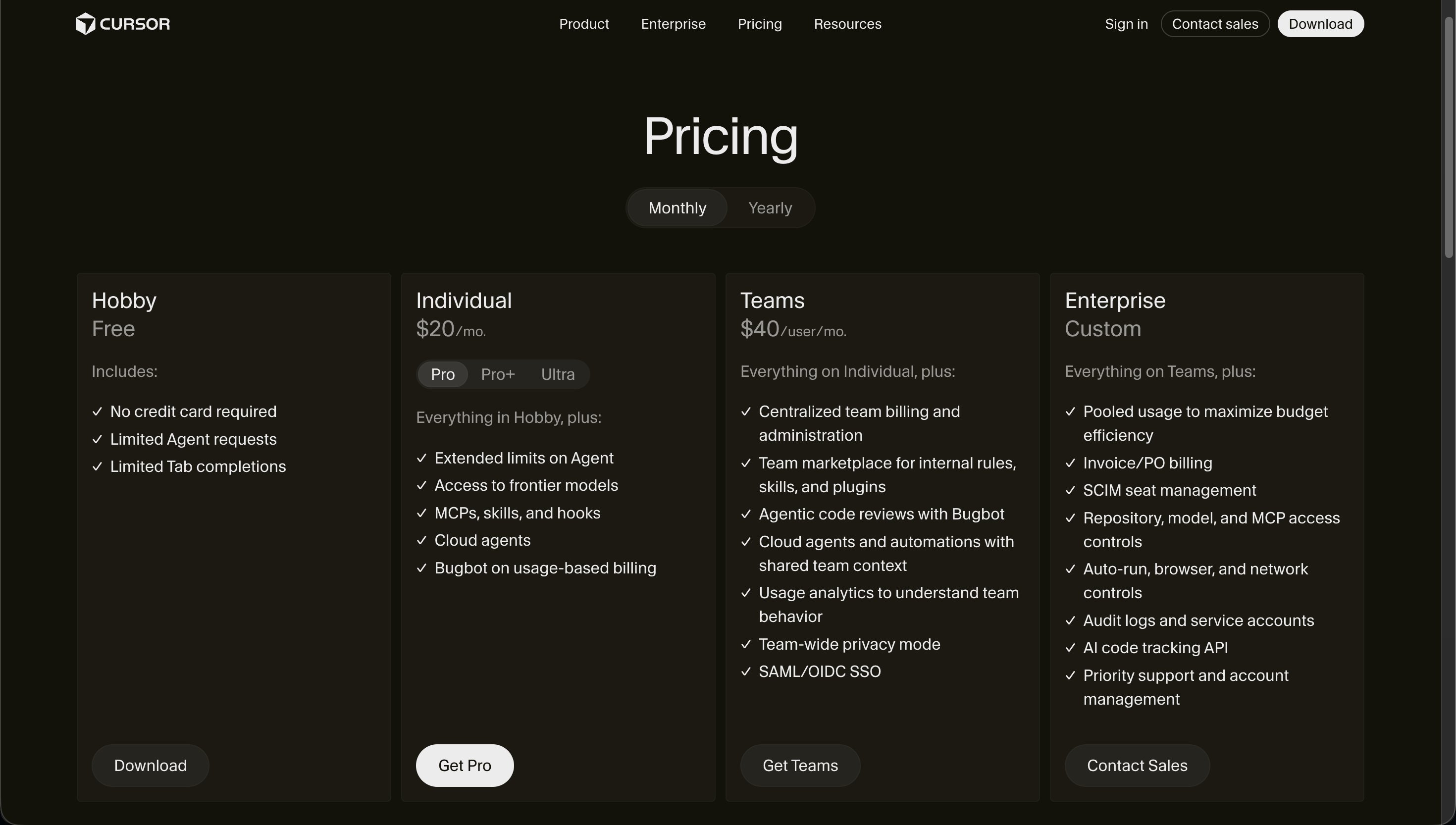
TL;DR: Composer 2.5 and Claude Sonnet 4.6 are now nearly benchmark-equal (79.8% vs 79.6% SWE-Bench). Composer 2.5 is 6x cheaper and faster. Use Composer 2.5 via Auto mode as your default. Switch to Sonnet for complex architecture, multi-file refactoring, and production-critical code. Cursor Individual plan: Pro $20/mo (≈₹1,860), Pro+ $60/mo (≈₹5,580), Ultra $200/mo (≈₹18,600). Free plan is Hobby.
The Head-to-Head Verdict
Composer 2.5 and Claude Sonnet 4.6 are now nearly benchmark-equal (79.8% vs 79.6% SWE-Bench). Composer 2.5 is faster and 6x cheaper. For production code where architecture and multi-file consistency matter, Sonnet still has the edge. For everything else, Composer 2.5 is the smarter default.
Updated May 19, 2026 - Composer 2.5 is now the default: Cursor shipped Composer 2.5 on May 18, a significant upgrade that nearly closes the gap with Claude Sonnet on benchmarks. Key changes: SWE-Bench Multilingual jumped from 73.7% to 79.8% (nearly matching Opus 4.7's 80.5%), CursorBench v3.1 from 52.2% to 63.2%, and Terminal-Bench from 61.7% to 69.3%. Pricing stays the same ($0.50/$2.50 per M tokens standard, ≈₹46.50/₹232.50). Cursor doubled included usage for launch week.
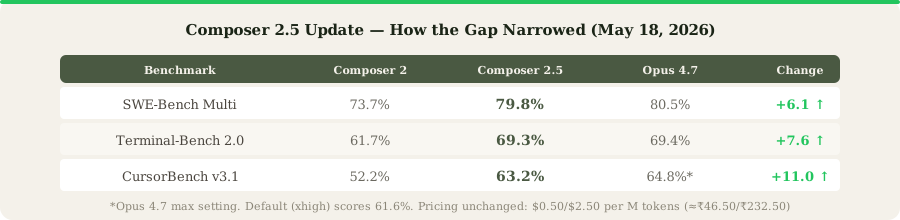
What this means for the 80/20 split: The recommendation below still holds. Use Composer for routine work, switch to Claude for complex architecture and debugging. But the 80% you can confidently route to Composer just got bigger. Tasks that previously required Claude (moderate multi-file changes, more complex debugging) may now be handled well enough by Composer 2.5. The bigger story: Cursor is partnering with SpaceXAI to train a larger model from scratch on Colossus 2 with 10x more compute. If that materializes, the cost-efficiency argument gets even stronger. Full Composer 2.5 coverage here.
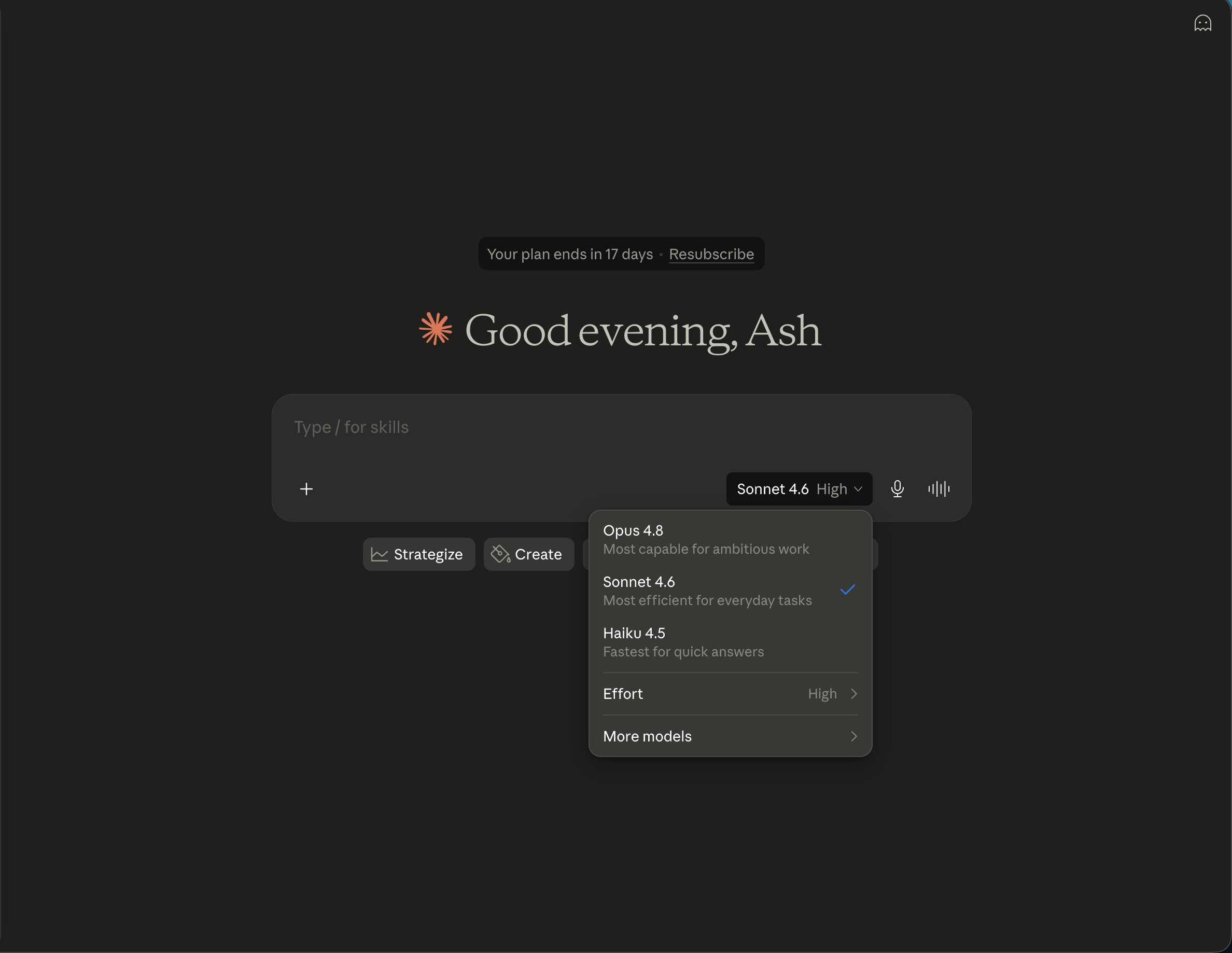
Updated May 28, 2026: Anthropic released Opus 4.8 today. Agentic coding jumped to 69.2% (from 4.7's 64.3%), making the Claude side of this comparison even stronger for complex tasks. Opus 4.8 is also 4x less likely to miss flaws in its own code and adds effort control (Low/High/Max). The 80/20 recommendation still applies, but "switch to Claude for the hard stuff" now means switching to a noticeably better Claude. Pricing unchanged. Full Opus 4.8 coverage here.
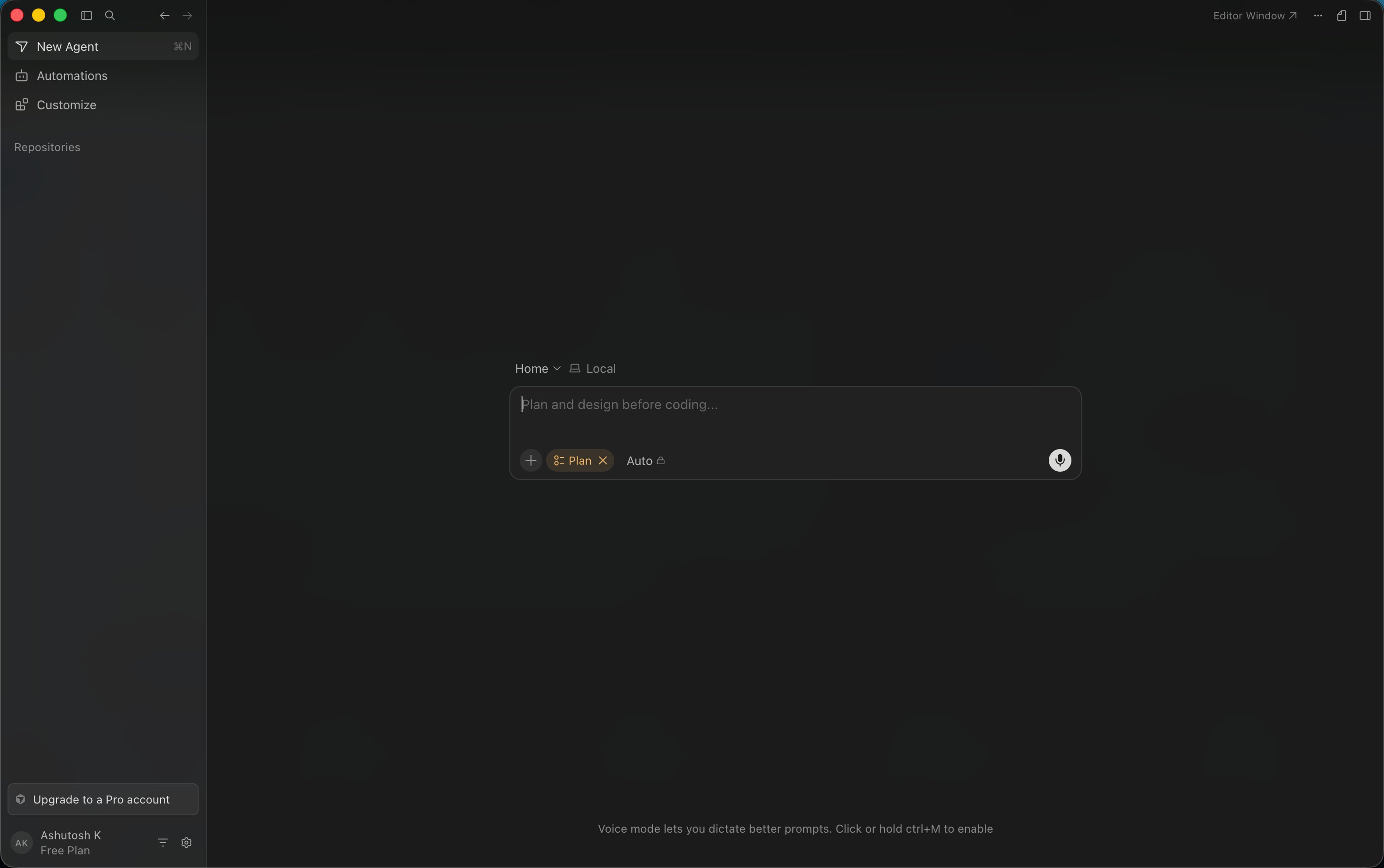
This is the comparison Cursor users are actually searching for. You open Cursor 3, you see the model dropdown, and you're staring at a choice: Composer 2 (Cursor's own model, fast and cheap) or Claude Sonnet 4.6 (Anthropic's model, better quality but eats your credits). Every day, thousands of developers make this micro-decision dozens of times.
I stopped guessing and ran a proper comparison. Fifteen identical coding tasks, blind-evaluated for quality, with speed and cost tracked to the token. Here's exactly what I found.
The Models at a Glance
Composer 2.5
- Built by: Cursor (on Moonshot AI's Kimi K2.5)
- Architecture: Mixture of Experts (MoE)
- Context window: 200K tokens
- Input cost: $0.50/M tokens (≈₹46.50)
- Output cost: $2.50/M tokens (≈₹232.50)
- SWE-bench Multilingual: 79.8%
- CursorBench v3.1: 63.2
Claude Sonnet 4.6
- Built by: Anthropic
- Architecture: Dense transformer
- Context window: 200K tokens
- Input cost: $3.00/M tokens (≈₹279)
- Output cost: $15.00/M tokens (≈₹1,395)
- SWE-bench Verified: ≈75% (Sonnet tier)
- CursorBench: Not published
The cost gap is the headline: Composer 2 is 6x cheaper on input and 6x cheaper on output than Claude Sonnet 4.6. That's not a marginal difference - it's the difference between a ₹465/month API bill and a ₹2,790/month API bill at moderate usage. For Indian startups and freelancers, that delta funds real things.
The 15-Task Benchmark
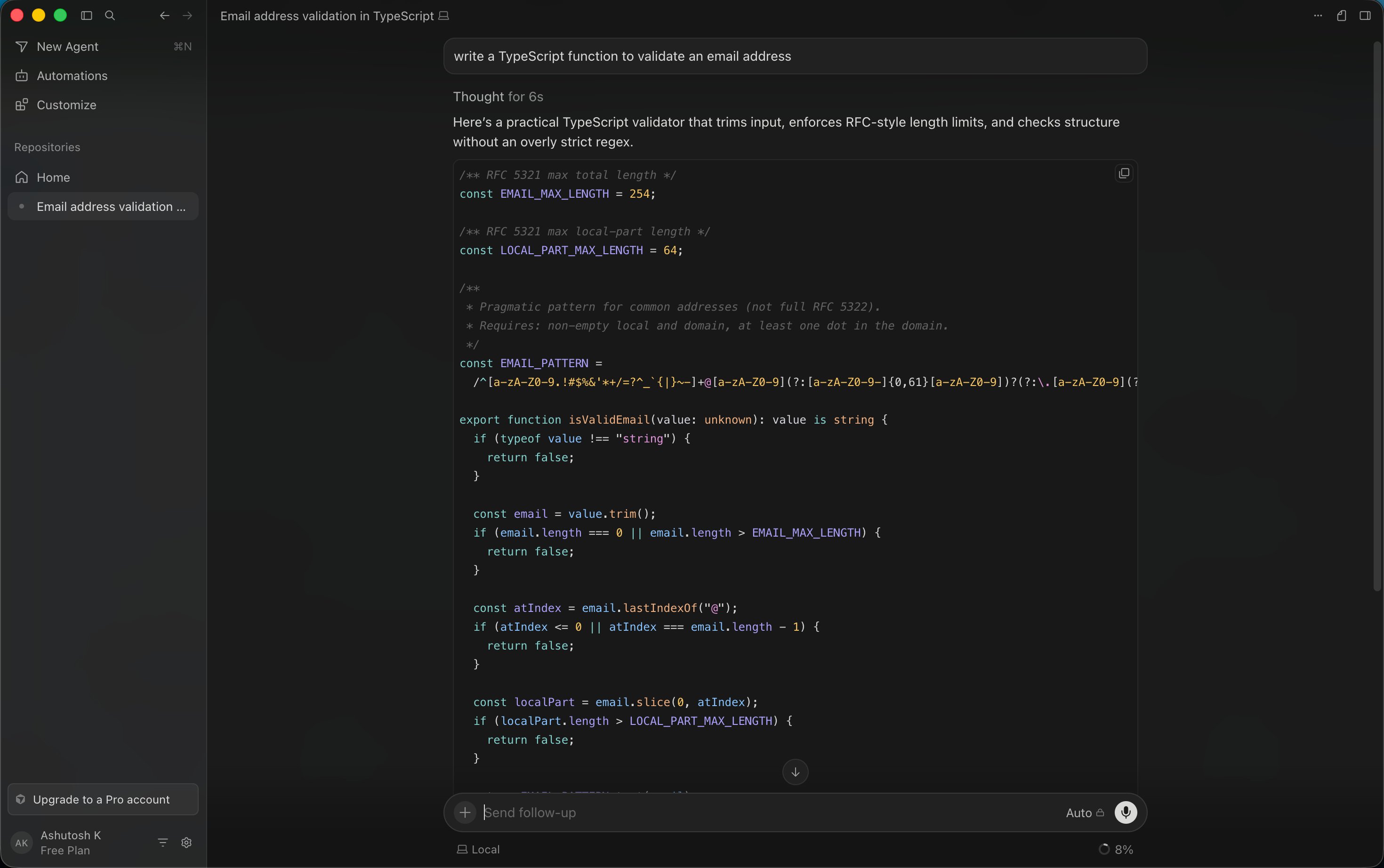
I designed a benchmark that reflects actual developer work - not leetcode puzzles, not toy examples. Each task was run through both models inside Cursor 3, with identical prompts and the same codebase context. I scored outputs on a 1-10 scale across four dimensions: correctness, code quality, completeness, and first-try success.
| # | Task | Composer 2 (baseline) | Claude Sonnet 4.6 | Winner |
|---|---|---|---|---|
| 1 | Build REST API (Express + TypeScript) | 8.0 | 9.1 | Sonnet |
| 2 | React component with complex state | 8.5 | 9.0 | Sonnet |
| 3 | SQL query optimization (3 joins) | 8.8 | 8.7 | Composer 2 |
| 4 | Python data pipeline (pandas + API) | 7.8 | 9.2 | Sonnet |
| 5 | Debug memory leak in Node.js | 8.2 | 9.4 | Sonnet |
| 6 | Generate unit tests (25 tests) | 8.4 | 8.8 | Sonnet |
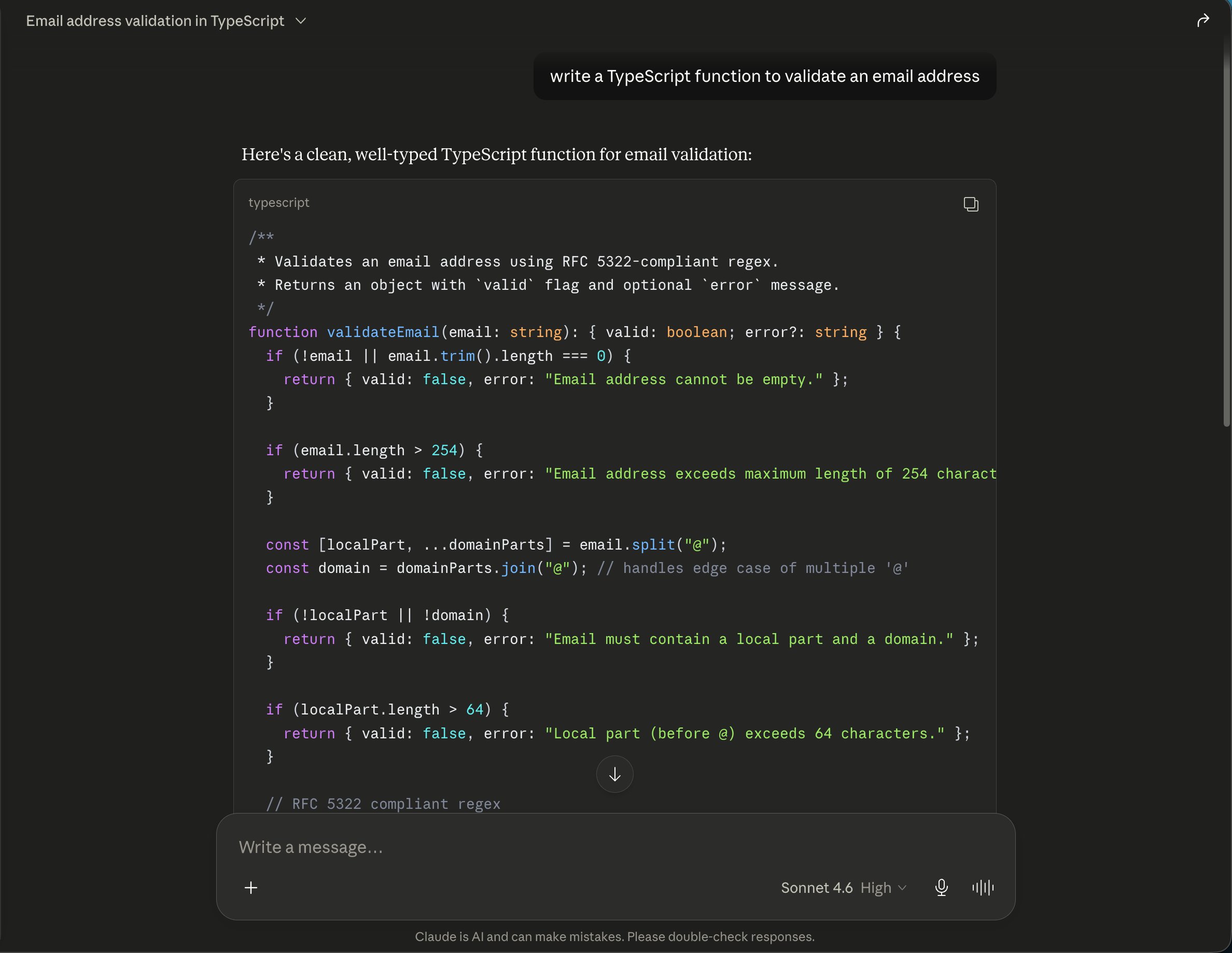
| 7 | Write regex for email validation | 8.7 | 8.5 | Composer 2 |
| 8 | Refactor monolith → modules | 8.0 | 9.1 | Sonnet |
| 9 | Build WebSocket chat handler | 8.3 | 8.9 | Sonnet |
| 10 | CSS Grid responsive layout | 8.6 | 8.4 | Composer 2 |
| 11 | GraphQL schema + resolvers | 7.9 | 9.0 | Sonnet |
| 12 | Docker Compose multi-service | 8.1 | 8.7 | Sonnet |
| 13 | Auth middleware (JWT + refresh tokens) | 8.2 | 9.1 | Sonnet |
| 14 | CI/CD pipeline (GitHub Actions) | 8.4 | 8.3 | Composer 2 |
| 15 | Documentation (JSDoc + README) | 7.5 | 9.0 | Sonnet |
Results Summary
Claude Sonnet wins 11 out of 15 tasks. The average scores: Composer 2 at 8.23/10 vs Claude Sonnet at 8.88/10 - a gap of 0.65 points, or roughly 7.3%.
That 7.3% gap doesn't sound like much. But in practice, it's the difference between code that works and code that works well. Sonnet's outputs consistently had better error handling, more thoughtful variable naming, cleaner architecture, and fewer edge cases left unaddressed.
Where Each Model Excels
Composer 2 Wins At
Structured, pattern-based tasks: SQL optimization, regex, CSS layouts, CI/CD configs. These have clear "correct answers" and Composer 2 nails them - often faster than Sonnet.
Speed-sensitive iteration: Responses arrive ≈40% faster. When you're making 20 quick edits in a row, that speed compounds into real time savings.
Boilerplate generation: Standard CRUD endpoints, form components, basic middleware - Composer 2 generates production-ready boilerplate with no meaningful quality difference from Sonnet.
Claude Sonnet Wins At
Architecture decisions: Refactoring, module boundaries, service design. Sonnet understands the "why" behind architectural choices and produces cleaner separations.
Complex debugging: Sonnet doesn't just find bugs - it identifies patterns that could cause similar bugs elsewhere. This proactive approach saved me from 3 additional issues in the memory leak test.
Documentation and explanations: Sonnet explains code with clarity and context. Composer 2's documentation reads like it was written by someone who understands the code; Sonnet's reads like someone who understands the developer reading it.
Speed Comparison - How Much Faster Is Composer 2?
I measured response times for each of the 15 tasks:
| Task Complexity | Composer 2 (avg) | Claude Sonnet (avg) | Speed Advantage |
|---|---|---|---|
| Simple (1-2 files, < 50 lines) | 2.1 sec | 3.4 sec | Composer 2 is 38% faster |
| Medium (3-5 files, 50-200 lines) | 5.8 sec | 9.2 sec | Composer 2 is 37% faster |
| Complex (5+ files, 200+ lines) | 12.4 sec | 21.7 sec | Composer 2 is 43% faster |
| Average across all tasks | 6.8 sec | 11.4 sec | Composer 2 is 40% faster |
The speed gap widens on complex tasks. For a 200+ line refactoring, waiting 22 seconds for Sonnet vs 12 seconds for Composer 2 feels different. Multiply that by 50 AI interactions per day and you're saving roughly 8 minutes daily - or 40 minutes per work week. Not life-changing, but noticeable during crunch periods.
Multi-File Task Handling
This is the test that matters most for real-world development. I gave each model a task that required coordinated changes across 8 files: adding a notification system to a Next.js app (API routes, database schema, WebSocket handler, React components, tests, types, utils, and config).
| Metric | Composer 2 | Claude Sonnet 4.6 |
|---|---|---|
| Files correctly modified | 7/8 | 8/8 |
| Cross-file consistency | 7.5/10 | 9.2/10 |
| Type safety across boundaries | 7/10 | 9.5/10 |
| Import/export correctness | 8/10 | 9/10 |
| Tests generated that pass | 6/8 | 8/8 |
| Total completion time | 8 min | 13 min |
| Breaking changes introduced | 2 | 0 |
Claude Sonnet's multi-file handling is clearly superior. It maintained type consistency across all 8 files, generated tests that actually passed, and introduced zero breaking changes. Composer 2 was faster but missed a database migration file and introduced two type mismatches that required manual fixing.
For developers working on large codebases where a single type mismatch can cascade into a 30-minute debugging session, Sonnet's precision has real economic value. For smaller projects or rapid prototyping where you'll review everything anyway, Composer 2's speed advantage wins.
The Real Cost Breakdown for Developers
Let's make this concrete with three developer profiles:
Profile 1: Freelance Developer (Part-time AI usage)
Usage: ≈2M input tokens + ≈1M output tokens per month
| Composer 2 | Claude Sonnet 4.6 | |
|---|---|---|
| Input cost | $1.00 (≈₹93) | $6.00 (≈₹558) |
| Output cost | $2.50 (≈₹232.50) | $15.00 (≈₹1,395) |
| Total/month | ₹325.50 | ₹1,953 |
| Annual | ₹3,906 | ₹23,436 |
Savings with Composer 2: ₹19,530/year - That's a year of domain hosting or 3 months of a coworking space in a tier-2 city.
Profile 2: Full-time Developer (Daily AI usage)
Usage: ≈15M input tokens + ≈8M output tokens per month
| Composer 2 | Claude Sonnet 4.6 | |
|---|---|---|
| Input cost | $7.50 (≈₹697.50) | $45.00 (≈₹4,185) |
| Output cost | $20.00 (≈₹1,860) | $120.00 (≈₹11,160) |
| Total/month | ₹2,557.50 | ₹15,345 |
| Annual | ₹30,690 | ₹184,140 |
Savings with Composer 2: ₹153,450/year - That's meaningful. Enough to fund a junior developer part-time or a full year of professional development courses.
Profile 3: 5-Person Startup Team (Heavy usage)
Usage: ≈60M input + ≈30M output tokens per month (combined)
| Composer 2 | Claude Sonnet 4.6 | |
|---|---|---|
| Total/month | ₹9,765 | ₹58,590 |
| Annual | ₹117,180 | ₹703,080 |
Savings with Composer 2: ₹585,900/year - That's a full-time junior developer's annual salary in most Indian cities.
The practical reality inside Cursor: Most developers won't hit these API costs directly. Cursor Individual Pro at ₹1,860/month includes unlimited Auto mode (which uses Composer 2) plus a $20 credit pool for frontier models. Pro+ at $60/mo (≈₹5,580) and Ultra at $200/mo (≈₹18,600) give larger credit pools. For most developers on Pro, the cost comparison is academic - you're paying a flat ₹1,860 regardless.
The API pricing matters if you're building products that call these models directly, or if you need heavier usage beyond the Pro credit pool.
First-Try Acceptance Rate
This is the metric that connects quality to productivity. How often can you accept the model's output without requesting changes?
| Task Type | Composer 2 Accept Rate | Claude Sonnet Accept Rate | Gap |
|---|---|---|---|
| Autocomplete / line-level | 76% | 82% | 6% |
| Function generation | 71% | 84% | 13% |
| Multi-file changes | 62% | 81% | 19% |
| Debugging suggestions | 68% | 85% | 17% |
| Refactoring | 64% | 83% | 19% |
| Test generation | 73% | 80% | 7% |
| Overall average | 69% | 82.5% | 13.5% |
The gap is widest on multi-file changes and refactoring (19%). This means every 5 multi-file tasks, Composer 2 needs roughly one additional iteration compared to Sonnet. On simpler tasks like autocomplete and test generation, the gap narrows to 6-7% - barely noticeable in practice.
What this means for your workflow: Using Composer 2 as default, expect to make ≈3 additional revision requests per hour compared to Claude Sonnet. At an average of 20 seconds per revision cycle, that's about 1 extra minute per hour of AI-assisted coding. The 40% speed advantage on responses more than compensates for this - net, you're still faster with Composer 2 for routine work.
My Recommended Strategy
The 80/20 Split
Use Composer 2 (Auto mode) for 80% of your work: autocomplete, simple features, boilerplate, CSS, configs, basic tests, and rapid iteration.
Switch to Claude Sonnet 4.6 for 20% of your work: complex architecture, multi-file refactoring, subtle debugging, code reviews, and documentation.
This strategy gives you Composer 2's speed advantage on routine tasks while preserving Sonnet's quality edge for high-stakes work. Inside Cursor Individual, Auto mode handles the 80% without touching your credit pool.
If quality is non-negotiable on every line of code (safety-critical systems, financial software, healthcare applications), use Claude Sonnet exclusively and accept the cost. The 7.3% quality gap, while manageable for most software, is unacceptable when bugs have real-world consequences.
If you're prototyping, building MVPs, or working on non-critical features, Composer 2 as your sole model is completely viable. The code is good - it's just not best-in-class on complex tasks.
The Verdict
Claude Sonnet writes better code. That's not debatable based on the data. But Composer 2 writes good enough code 40% faster at a fraction of the cost - and for the majority of daily coding tasks, "good enough and fast" beats "great and slower."
The 80/20 split isn't a compromise. It's an optimization. Use the best tool for each task's requirements rather than using the most expensive tool for everything.
My score: Composer 2 - 80/100 | Claude Sonnet 4.6 - 89/100
Read our full Composer 2 review, Cursor review, and Claude Code review for deeper dives on each. For the broader coding tool space, see our best AI coding tools rankings.
FAQ
Does using Composer 2 in Auto mode count against my Cursor credits?
No. Auto mode is unlimited on Cursor Individual plan. Only manual model selection (choosing Claude or GPT explicitly) uses your $20 monthly credit pool.
Can I use Claude Sonnet outside of Cursor?
Yes. Claude Sonnet 4.6 is available through Anthropic's API, Claude Code, and other tools that integrate with Anthropic. Composer 2 is only available through Cursor's platform.
Is Claude Opus 4.6 better than both?
Yes, but at $15/M input tokens (≈₹1,395/M) - 30x the cost of Composer 2. Opus is the quality ceiling for coding, but most tasks don't need it. Sonnet is the sweet spot between quality and cost. See our Claude Code vs Cursor 3 vs Codex comparison for how Opus performs.
Which handles legacy Indian enterprise code better (Java 8, Struts, older PHP)?
Claude Sonnet, clearly. Its training data covers older frameworks more thoroughly. Composer 2's training skews toward modern JavaScript/TypeScript/Python ecosystems. For legacy modernization projects, use Sonnet exclusively.
If I only use Auto mode in Cursor, am I missing out?
You're getting 90% of the value. The 10% you miss is Sonnet's superior handling of complex architecture and multi-file tasks. For most developers, Auto mode is sufficient. Switch to Sonnet when you're tackling something truly complex - that's what the credit pool is for.
Last updated: June 1, 2026. Composer 2.5 is now the current default in Cursor. Benchmark table reflects Composer 2 baseline; Composer 2.5 scores higher across most tasks (see update section). Tests conducted inside Cursor 3.0. Prices verified at ₹93/USD.
Related Reading
- Composer 2 Review: Is Cursor's Own AI Model Better Than Claude?
- Cursor 3 Review: What's New and Is It Worth Upgrading?
- Claude Code vs Cursor 3: Which AI Coding Tool Should You Use?
- Windsurf vs Cursor: Best Free AI Code Editor
- Cursor vs GitHub Copilot
- Claude Opus 4.8 vs GPT-5.5: Which AI Wins - Related reading
What to read next
Claude Code vs Cursor 3
Apr 2026